 METROLORE Docs
- Docs
- FPS Booster
- Using FPS Booster
M5Line M5 · FPS BoosterView in store →
Using FPS Booster
#The menu
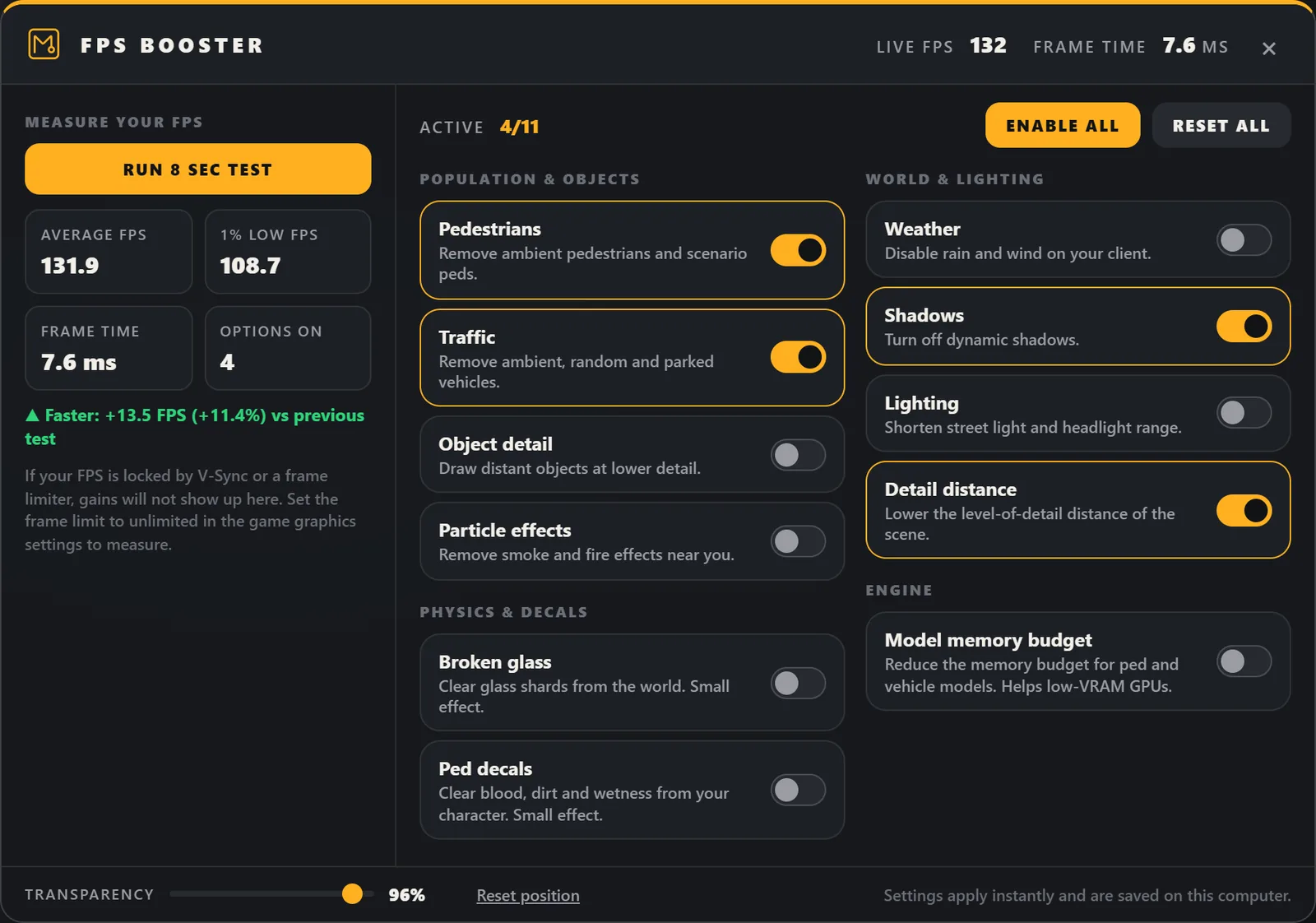
Press F11 or type /fpsMenu. Click an option to switch it on or off. The change applies at once and is saved. Enable all and Reset all change every option together. ESC or the X closes the menu.
#Move the window and change transparency
Drag the top bar to move the window. The position is remembered; Reset position puts the window back in the centre. The Transparency slider at the bottom goes from 35% to 100%. Only the surfaces become transparent; text and buttons stay fully readable.
#Measure your FPS
- Stand in a busy spot and press Run 8 sec test with all options off.
- Switch on the options you want to try.
- Stand in the same spot and run the test again.
The test shows average FPS, 1% low FPS, frame time and the number of options that were on. From the second test on it also shows the difference to the previous one. A difference below 3% is shown as "no meaningful change", because normal variation is larger than that.
If the FPS is locked by V-Sync, a driver frame limiter, or a borderless window at the monitor's refresh rate, gains cannot show up in the test. To measure, remove the limit first (V-Sync off, driver frame limit off, frame limit unlimited in the game's graphics settings).
#What helps most
- Shadows, Detail distance and Lighting reduce the work of the graphics card.
- Pedestrians and Traffic reduce the work of the processor in busy areas.
- Model memory budget helps graphics cards with little video memory.
- Broken glass, Ped decals and Weather have a small effect.
The real effect differs from computer to computer. Use the test to decide which options to keep.
#What is removed
Pedestrians and Traffic remove only ambient peds and vehicles that exist on the player's own client. The resource never removes players, vehicles with a player inside, the player's last vehicle, peds or vehicles created by other scripts (mission entities), or entities shared over the network.