 METROLORE Docs
- Docs
- Notify & Progressbar
- Using Notify
M3Line M3 · Notify & ProgressbarView in store →
Using Notify
#The editor
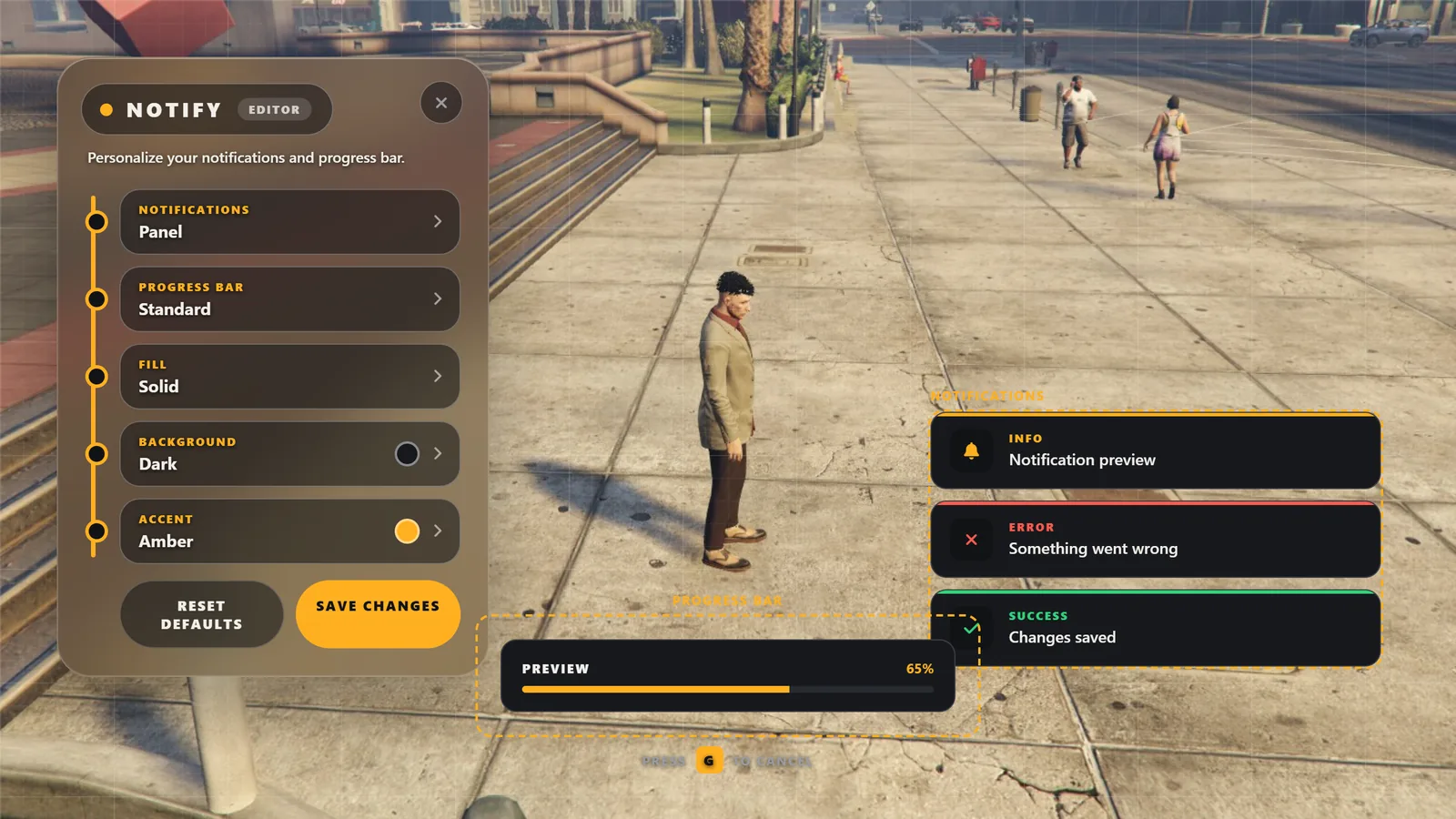
Type /notifymenu. The menu lists five settings. Click a row and its options open in a panel next to the menu.
| Setting | What it changes |
|---|---|
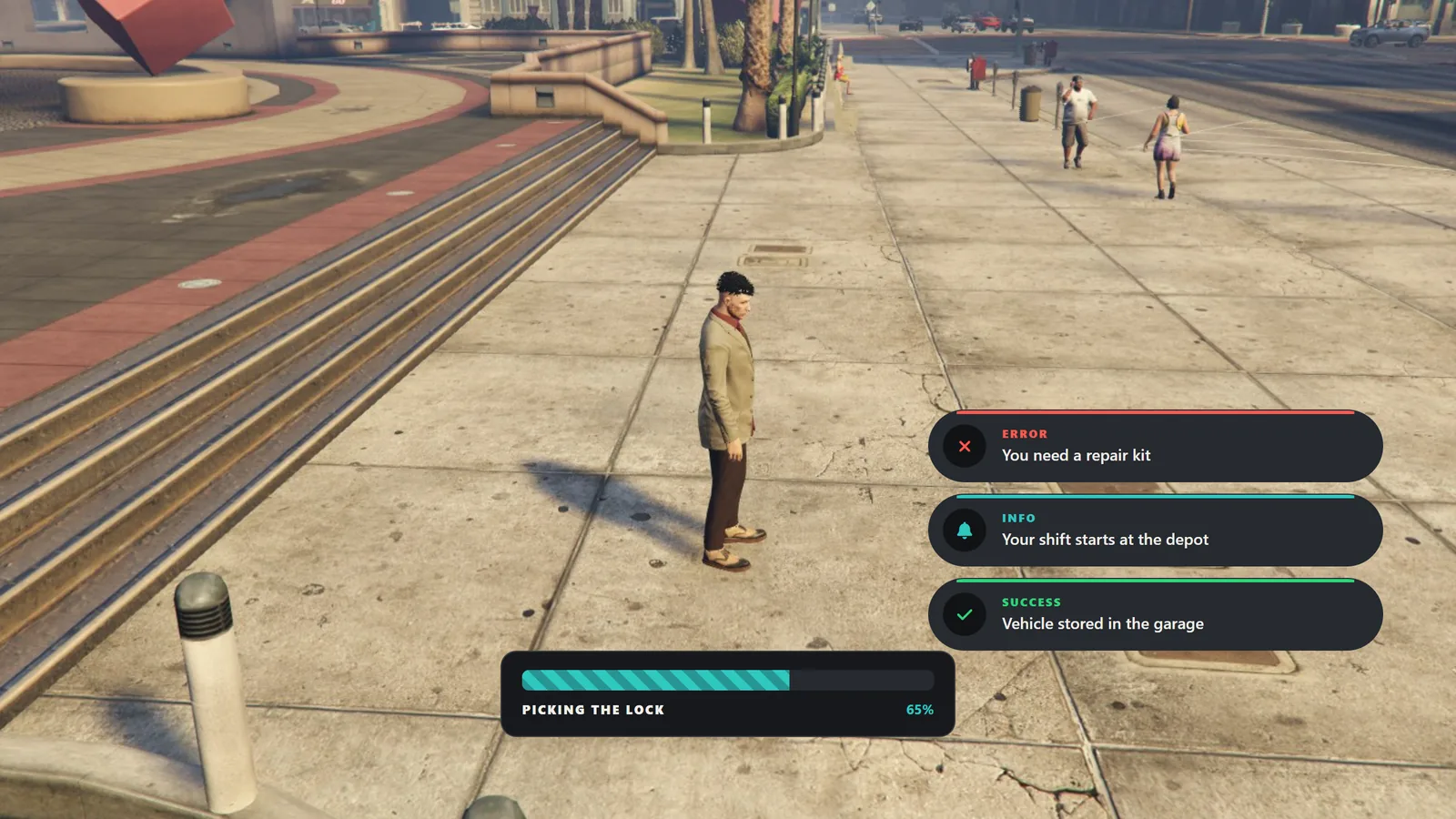
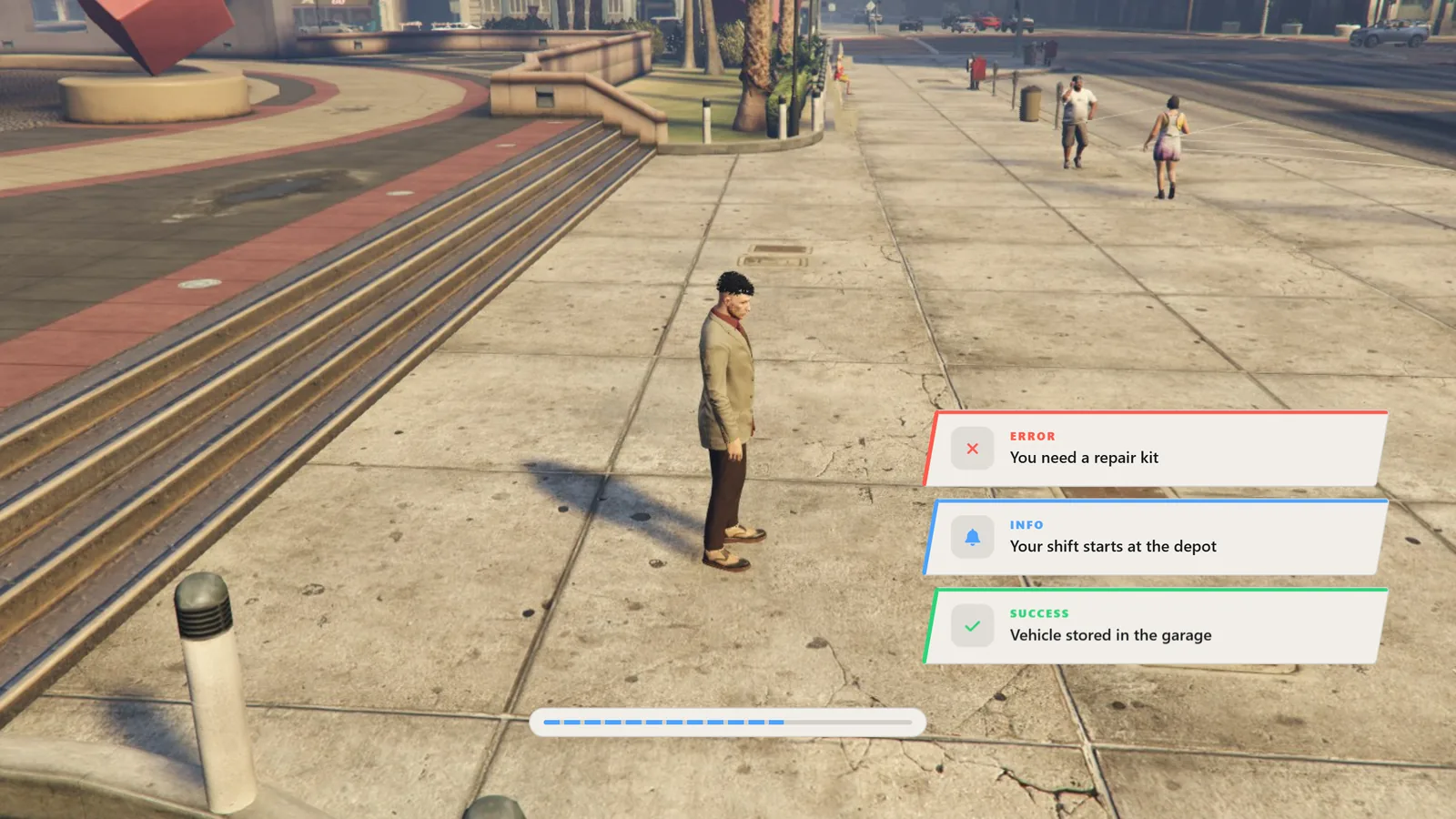
| Notifications | Design of the notification (six shapes). |
| Progress bar | Layout of the progress bar. |
| Fill | Fill style of the progress bar. |
| Background | Surface of notifications and the progress bar. Presets, or a custom colour with opacity. |
| Accent | Colour of lines, icons and the bar fill. Presets, or a custom colour. |
Drag the dashed Notifications and Progress bar areas on screen to move them. Press Save changes to keep your choices. Use the X to close.
Note
Choosing a preset background or accent clears your custom colour. Colours are saved per player.
#Show a notification (client)
exports['mlr-notify']:Notify('Saved', 'success', 4000)Arguments: message, type, duration in milliseconds.
- Types:
primary,success,error,info,warning. - Duration: 500 to 30000 ms (default 5000).
- Messages are plain text, up to 300 characters.
A table is also accepted, like QBCore and ESX use: { text = 'Saved', type = 'success', length = 4000 }.
#Show a notification (server)
Send it to a player from the server:
TriggerClientEvent('mlr-notify:client:Notify', source, 'Paid', 'success', 4000)#Progress bar
exports['mlr-notify']:Progress({
    name = 'repair',
    label = 'Repairing',
    duration = 3000,
    canCancel = true,
    controlDisables = {
        disableMovement = true,
        disableCarMovement = true,
        disableCombat = true,
    },
}, function(cancelled)
    if cancelled then return end
    -- finished
end)- The callback receives
falsewhen the bar completes andtruewhen it is cancelled. - With
canCancel = truethe player cancels with G or Esc. - Only one progress bar runs at a time. A second call is cancelled immediately and its callback gets
true. controlDisablesis optional and blocks the selected controls while the bar runs.