 METROLORE Docs
- Docs
- Notify & Progressbar
M3Line M3 · Notify & ProgressbarView in store →
Notify & Progressbar
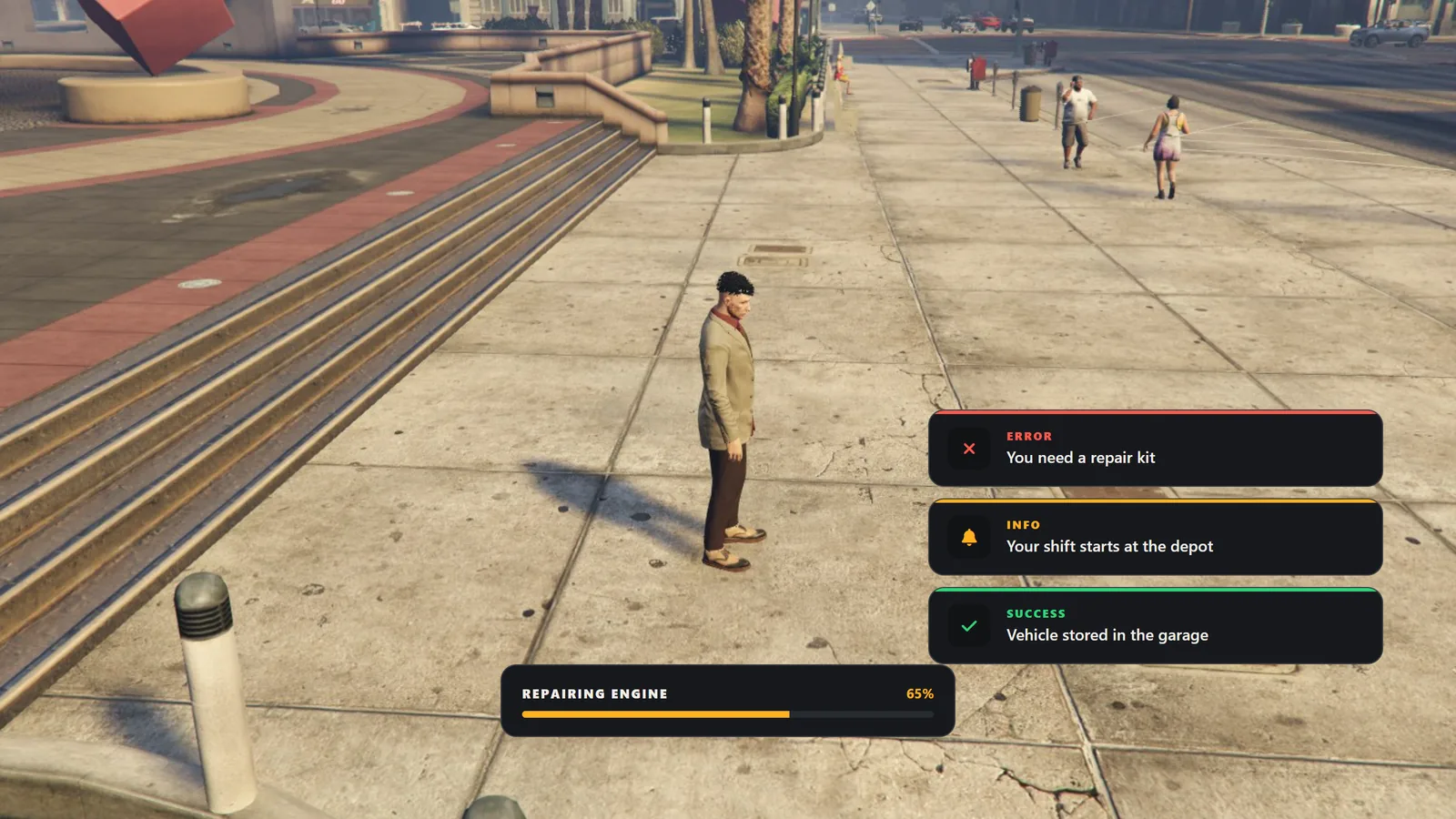
mlr-notify replaces the default notifications and progress bar with a customizable interface. Players choose the design, surface and colour in-game, and the choice is saved on their own computer.
#Features
- Notifications with six designs: Panel, Solid, Outline, Edge, Tinted and Compact.
- Progress bar with six layouts (Standard, Slim, Bold, Inset, Notch, Minimal) and six fill styles (Solid, Striped, Segments, Dots, Two tone, Ring).
- Surface presets (Dark, Black, Glass, Light, Clear) or any custom colour with an opacity slider.
- Accent colour: six presets or any custom colour with sliders and a hex field.
- Drag and drop positioning of the notification area and the progress bar.
- Per-player settings, stored in the player's client and kept across restarts.
- QBCore, QBox and ESX bridge: the standard notify events are shown in this interface without changing other scripts.
- Safe text: messages are shown as plain text. HTML sent by other scripts is not executed.
- English and Turkish interface (
Config.Locale).
#Requirements
- FiveM server with a recent artifact.
- Any framework, or none. The notify bridge supports QBCore, QBox and ESX.
- No SQL and no other dependencies.